Can You Use GB WhatsApp and Official WhatsApp Together?
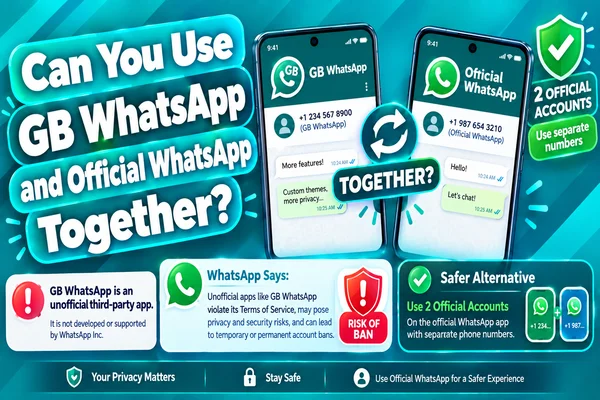
It is possible to run GB WhatsApp and WhatsApp on the same device simultaneously, but only under certain conditions. Use two different phone numbers for GB WhatsApp and WhatsApp.
Having GB WhatsApp and WhatsApp on the same device is useful when you want to retain one number for WhatsApp and another for GB WhatsApp. But then, GB WhatsApp is an unauthorized version of WhatsApp; there are risks involved, like compatibility, security, and updates.
Short Answer: Yes, With Conditions
Andriod supports Multiple apps performing the same functions because they are different packages and don't interfere with each other.
The key point here is that each installation of WhatsApp registers on a unique phone number. It's impossible to register the same phone number twice and activate two WhatsApp accounts on two different installations simultaneously.
So you can use:
- Official WhatsApp → Personal phone number
- GB WhatsApp → Another phone number
Thus, both apps are installed on the same Android device.
The second difference is that GB WhatsApp is not an official variant of the WhatsApp application. It is a modified third-party app, and WhatsApp may restrict your account for violating the Terms of Service of WhatsApp.
Requirements (separate numbers, package names)
Before installing both applications, make sure that your phone complete basic requirements.
Use Separate Phone Numbers
A simple solution is to use separate numbers for each application.
For instance:
WhatsApp: +92 XXX XXX XXXX
GB WhatsApp: +92 XXX XXX XXXX
You also need to make sure that your secondary number can receive SMS and calls at the time of registration. Activation of the account will need a verification code from WhatsApp.
Different Package Names
Two applications cannot share the same package identity as separate installations. Official WhatsApp uses its own package name. The built GB WhatsApp uses a modified package identity. So that Android to identify the package as a separate application. That is why you will see icons of both applications on the home screen after installation. Downloading random APK packages with terms like dual package or clone package only increases your vulnerability risk.
Adequate Storage Space
When using two messaging apps, you need enough storage for two separate app files, plus cache, pictures, videos, documents, and backups. Make sure your phone has adequate storage space before downloading GB WhatsApp and WhatsApp applications.
Compatibility with Android Version
Make sure both apps are compatible with your Android version, because you cannot install an old GB WhatsApp APK, or it will crash during the installation process.
Step-by-Step Instructions: Using Both Applications
To use both applications, follow the procedure below very carefully.
Make a Backup of Conversations/Media
Before taking any action, make a backup of all your WhatsApp conversations and media files.
Keep Official WhatsApp Installed
Install the official WhatsApp and make sure that everything works fine and that all your important conversations are available.
Get Another Phone Number Ready
Get another phone number that you will use while installing GB WhatsApp. It must be possible to receive a verification code for that particular number.
Download GB WhatsApp APK Carefully
GB WhatsApp is not available through the Google Play Store. If you choose to install it, get the APK from a reliable resource.
Be careful using suspicious websites providing a highly customized version of the app or making unrealistic promises like permanent anti-ban protection.
Install Without Uninstalling Official WhatsApp
If the GB WhatsApp package is diffrent from the official one, then Android allowed to use both applications on the device.
If any notification recieve from Andriod that this package may conflict with an existing app, do not uninstall official WhatsApp immediately. The APK may be incorrectly packaged or is simply incompatible with your current configuration.
Launch GB WhatsApp
Open the newly installed application and proceed with the registration process.
Make sure to register using the second phone number.
Verify the Number
The process of verification will start with receiving an SMS verification code or using other offered methods of verification.
Restore Data Properly
Use the restoration process of the GB WhatsApp application if you have a backup file compatible with GB WhatsApp.
Do not expect that your backups from official WhatsApp will work perfectly with GB WhatsApp. The formats and the location of folders for the backup may differ.
Test Both Accounts
Send messages from both accounts and ensure that notifications are received properly in both applications. You can now use the two accounts independently.
Common Conflicts and Fixes
Installation Conflict: There may be an installation conflict.
Solution: Download an appropriate APK file.
Code Issues: Code issues may arise because of network or number errors.
Solution: Verify your number and signal; do not submit duplicate codes.
Notifications Issue: Battery life may interfere with notifications.
Solution: Turn on notifications and background activity.
Duplicate Contacts: Both applications have access to the same contacts.
Solution: Review contact permission settings.
Storage Space: Both applications require extra storage space.
Solution: Remove unused files and clean up cache.
Account Security Issues: There are certain risks associated with account security with the unofficial application.
Solution: Retrieve accounts using the WhatsApp account retrieval procedure; use the official application.